See the Heat, Not the Light
Hunting Smarter with the Lumi P13
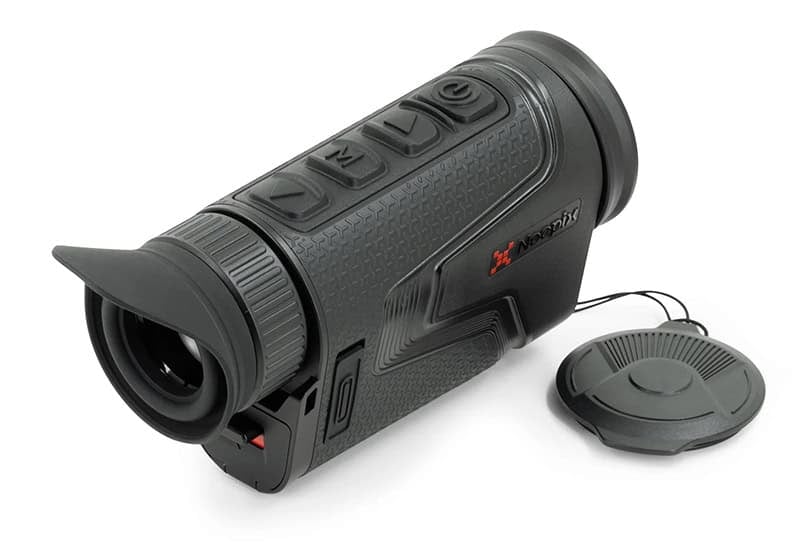
The four operating buttons rest under the fingers when holding this naturally.
It’s well worth the few minutes of “training” to learn the functions
and a “touch typing” technique to change views and modes without looking.
The whole point of a compact thermal monocular like the NocPix Lumi P13 is to use it on the go. Perhaps the most common use case for a tool like this is in the hunting fields.
As we discussed in Part One of this series, Seeing the Unseeable, where a portable thermal unit really shines is in the job of finding things. Meaning live (or recently alive) things. That’s because it operates in a different paradigm than the one we humans rely on—infrared thermal signatures.
Rather than leveraging or amplifying visible light, a unit like the Lumi P13 “sees” temperature differences. And, as you’ll see the first time you try one of these, the sensitivity is off the charts. Numerically speaking, it can detect temperature differences of just two-one-hundredths of a degree Celsius.
For example, I walked across the wood floor in my den, wearing tennis shoes, and then turned around and looked back at my “tracks.” Guess what? The Lumi showed highlighted “blobs” where my feet had touched the floor. So, something like a live animal, or even a rapidly cooling blood trail, will show up like a glaring light when viewed via thermal sensors.
Job one is to understand the capabilities and operations so you can make the most of your new tool. Let’s dive into what the technology is, how it works, and how you can best use it to improve the results of your next hunting outing.
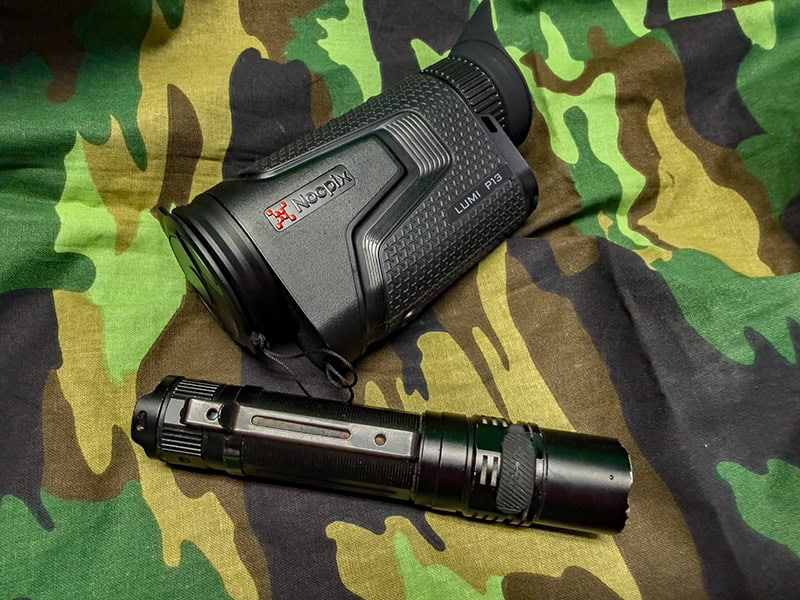
The Lumi P13 is great for finding, but you’ll want to consider additional tools like binoculars
and a good visible light for identification and confirmation of what you see in the thermal view.
Inside the Lumi P13: Compact Power
The NocPix Lumi P13 is a perfect case study because it packs a surprising amount of technology into something that weighs just under 11 ounces. That’s about as much as a can of Coke. It fits in your palm, pocket, or the MOLLE-compatible pouch that comes with it.
The sensor feeds a bright 1024 × 768 AMOLED display that is sharp enough to pick out fine edges even in complete darkness. The fast f/0.9 lens gathers more thermal energy than slower optics, which means brighter, cleaner images. The P13’s ambidextrous vertical design keeps controls within easy reach, even while wearing gloves. Hold this thought, we’ll talk about “touch typing” in a minute.
Power is simple and plentiful. It runs on a single 18650 rechargeable battery, the same type used in many flashlights, and ships with a spare and a USB-C charger. Each battery lasts roughly four hours, and swapping them takes seconds. Stick one in your pocket or pack, and you’re easily set for the day and then some.
It’s also built for real life: rubberized exterior, IP67 water resistance, operating range from –4 °F to 122 °F. Drop it in a puddle, keep scanning, no drama. And with onboard photo, video, and even audio recording, you can capture what you see without juggling another device.
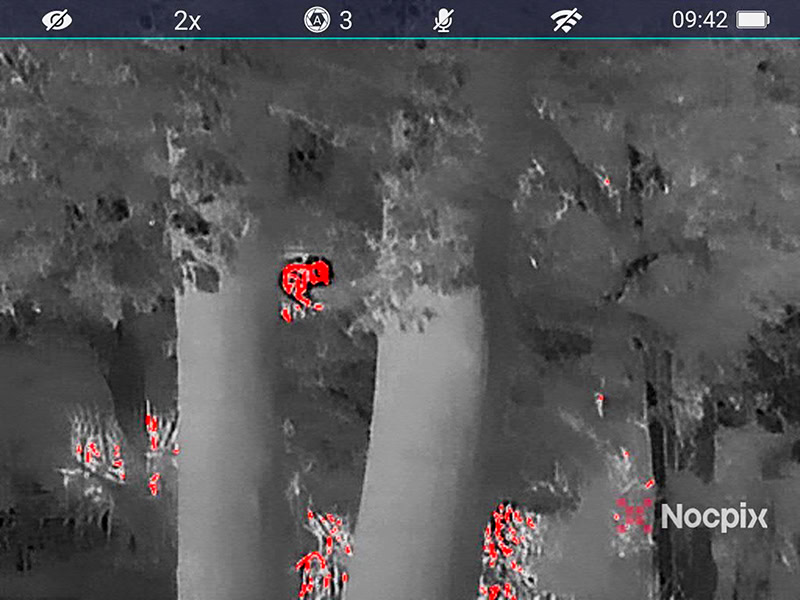
A still picture doesn’t do it justice, but the “red hot” view is great for finding animals.
The red highlight plus movement means you can’t miss it,
even in densely forested environments. Here’s a squirrel I spotted.
Why NETD and Image Processing Matter
Thermal devices live or die by how well they handle small differences in temperature. That’s where NETD (noise-equivalent temperature difference) comes in. A lower NETD means the sensor can detect tinier differences. That’s useful when you’re trying to spot a squirrel in summer foliage, a hiding deer or anything else with any body heat whatsoever. The Lumi P13’s ≤18 mK rating is impressive for its class.
Then there’s Reality+, NocPix’s image-processing algorithm. Think of it like Photoshop for heat. It enhances edges, balances contrast, and smooths digital noise, especially during digital zoom. The result is an image that looks surprisingly crisp even when magnified up to 4×.
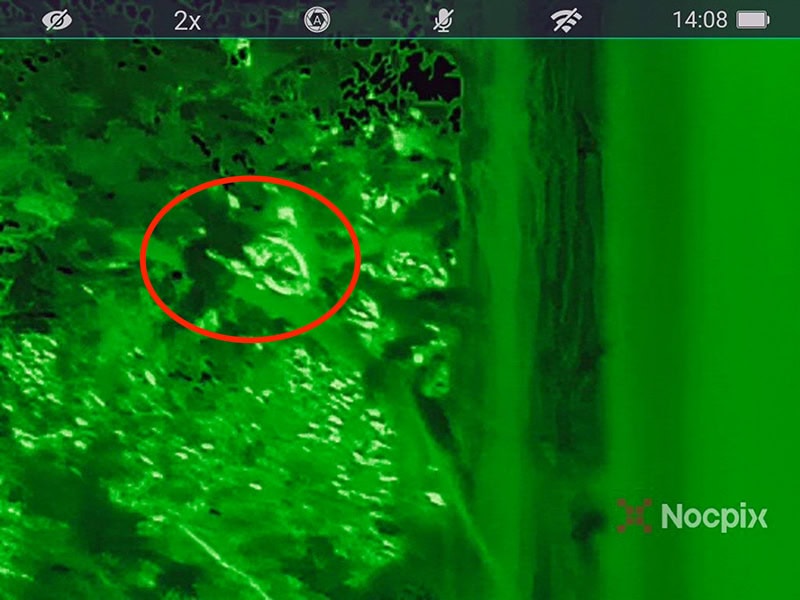
The same squirrel in the all-green view. The “whiter” areas are “hotter.”
Working the Buttons
If you think back to your old touch-typing lessons from Jr. or High School, consider using each finger efficiently with this unit. You’ll quickly find that the four buttons line up beautifully with your index through pinky fingers when holding the device naturally. Just rest each of those four fingers on an available button and leave them there.
I won’t recreate all the functions documented in the manual here, but it does make sense to learn the basic functions you’ll need in the field by touch. Remember, kind of by definition, you’ll be using this in conditions where it may not be easy to see.
From index to pinky, the button sequence is: down arrow, menu, up arrow and power. Here are the most used functions of each. Learn these by heart, and this tool will be immensely more useful!
Down Arrow: A short press takes a picture, which you can download later. A long press starts and stops video recording. If you’re in the quick menu to adjust settings, it navigates to different options.
Menu: A quick press brings up the quick menu. This is where you might choose, on the fly, to adjust “views,” say from black and white with black hot to full color, or perhaps the red hot mode, which is great for quick scanning of your environment. Once in the quick menu, keep pressing the “M” key to select different choices in each of the four quick adjustment sections.
Up Arrow: Cycles through digital zoom levels. There is no “reduce” the zoom button, just keep hitting this one to go from the default 2X to 4, 6, 8 and back to 2X power. It also helps navigate through the quick menu.
Power button: A long press turns the unit on and off, while a short press is used to back out of a menu.
That’s it! These functions will do everything you need while in the field. More complex setup and configuration options are available in the full menu, also available through the buttons and the companion smartphone app.
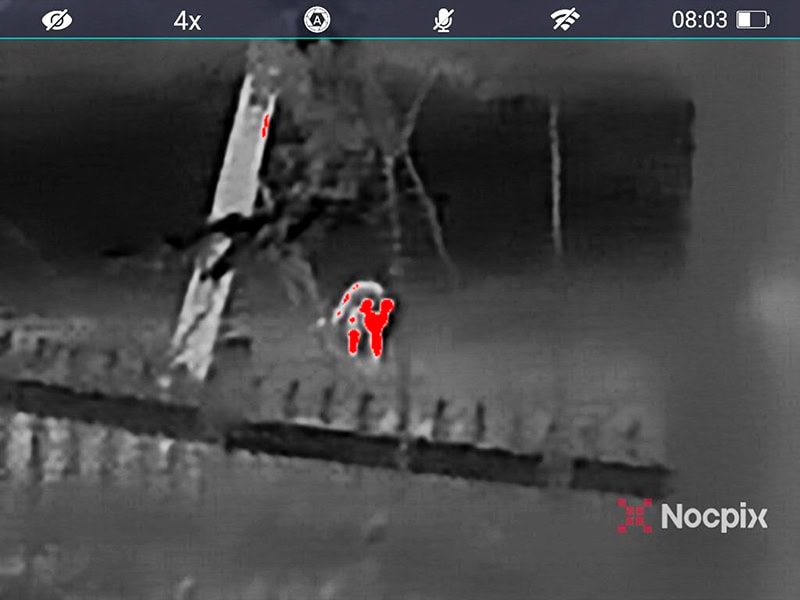
This raccoon was about 50 yards away and completely invisible in the dark to the naked eye.
The Lumi found it with ease. Note the 4x digital zoom.
The unit goes up to 8x for longer distances. I had no trouble viewing things hundreds of yards away.
Hunting Applications
If I had to boil down the usage scenarios for hunting, it’s simply this. The Lumi P13 will increase your ability to “find stuff” tenfold.
Looking for the source of that noise you hear in the woods? Flip on the “red hot” model and you’ll see a view of the trees, undergrowth and other things punctuated by bright red outlines of anything generating heat—like game animals. Whether it’s still or moving, it stands out like a neon light. You might prefer to use different color palettes—I just seemed to gravitate to the black and white with red hot for spotting purposes.
Squirrel hunter? Use it to look up into the trees, and they’ll pop into view, whether moving or still.
For spotting game animals, we might naturally gravitate to dusk and dawn applications for the usage of a thermal sight (they are stellar in these low-light periods), but don’t forget that a thermal sighting aid is just as helpful in broad daylight. Thermal sensors don’t care if it’s light or dark in their operating environment.
Another useful application is tracking blood trails. Even after sitting for a bit, fresh blood stands out from the much cooler woods environment, and you don’t have to visually see it to detect it.
Closing Tips
Do remember that a thermal monocular is equally valuable in day or night, as it’s a different “seeing” paradigm. If you’re tracking game of looking for critters in the forest, traditional visual camouflage like colors blending into the environment means nothing. Heat can’t hide like visually “seen” objects or animals can. And when you combine heat signatures and motion, a whole host of things you never knew were there become apparent.
For more information visit: NocpixUSA